🔍 What is Shell Scripting?
Hey there! I am Pradeep Chitroliya I am a Devops engineer, started writing articles on my DevOps and cloud journey. My purpose is to share the concepts that I learn, the projects that I build, and the tasks that I perform regarding DevOps. Hope you all find it useful.
A shell script is a text file containing a sequence of commands for the Unix/Linux shell to execute. Think of it as a way to automate repetitive tasks—like backups, server maintenance, or batch processing.
Welcome to Day 1 of the Bash Scripting Challenge! Today, we will cover the basics of bash scripting to get you started. Let's dive in:
Task 1: Comments
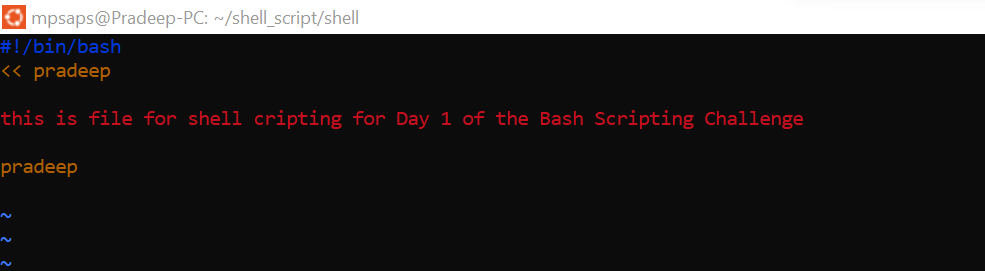
In bash scripts, comments are used to add explanatory notes or disable certain lines of code. Your task is to create a bash script with comments explaining what the script does.
Ans: Open in the linux terminal and create the file that gave name and extension it is .sh and write the something and committed and change permission using the command chmod +x
Task 2: Echo//Print Statement::
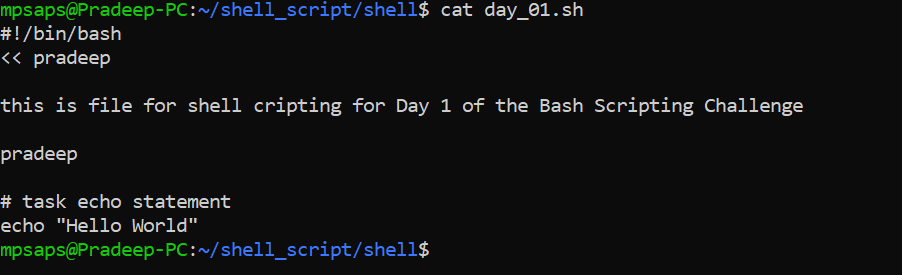
The echo command is used to display messages on the terminal. Your task is to create a bash script that uses echo to print a message of your choice.
Ans::open the file which are we have created and write the some information inside the double quotes and single quotes inside echo statement.
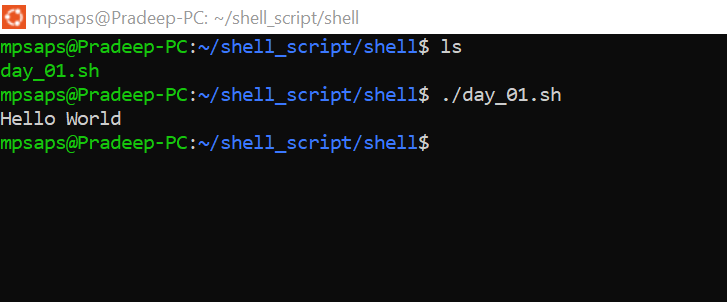
When execute | ./file.sh bash |file.sh the shell scripting file then getting the output
Task 3: Variables:: What is variable and how to make variable and used it
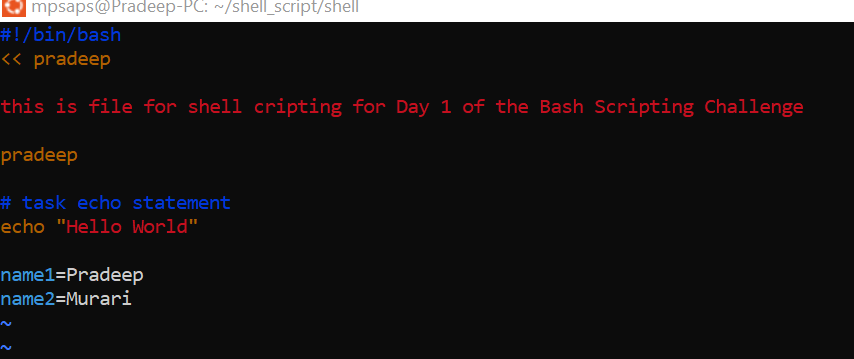
Variables in bash are used to store data and can be referenced by their name. Your task is to create a bash script that declares variables and assigns values to them.
Ans: as per question I have write the two variable like name1 and name2 and write the value in file
Task 4: Using Variables
Now that I have declared variables, let's use them to perform a simple task. Create a bash script that takes two variables (numbers) as input and prints their sum using those variables.
Ans: I have declared two variables like name1 and name2 as per question i have used the variable in my shell scripting
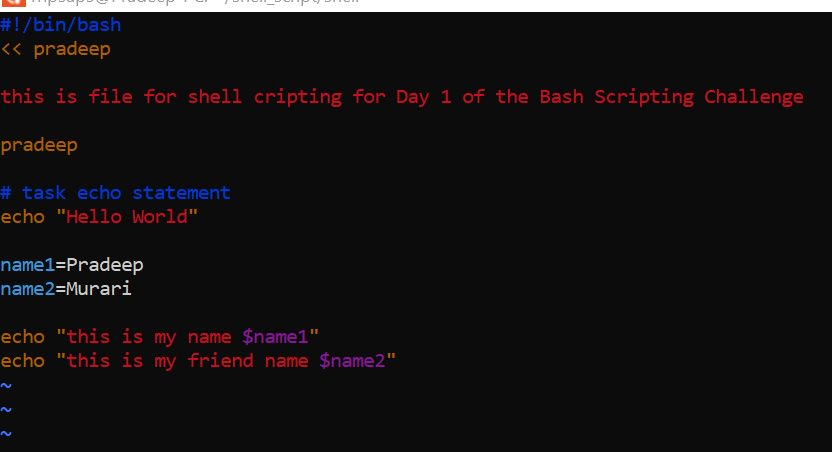
when used the variable and then executed the file then getting the output
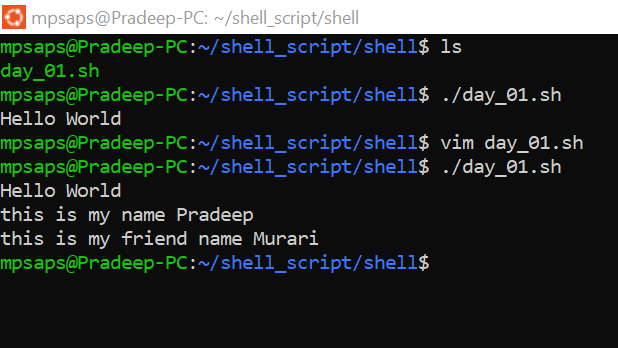
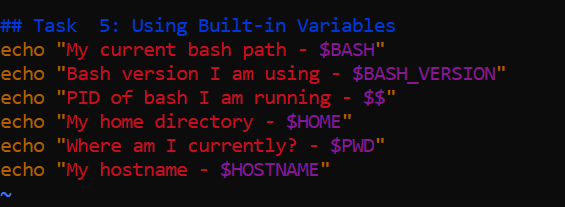
Task 5: Using Built-in Variables
Bash provides several built-in variables that hold useful information. Your task is to create a bash script that utilizes at least three different built-in variables to display relevant information.
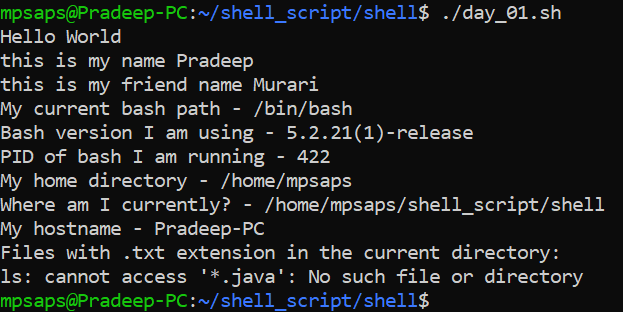
When the execute the file then getting the output:
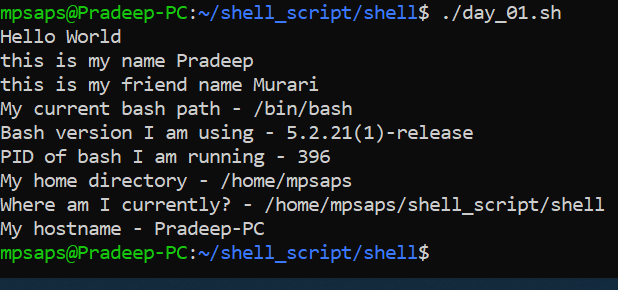
Task 6: Wildcards
Wildcards are special characters used to perform pattern matching when working with files. Your task is to create a bash script that utilizes wildcards to list all the files with a specific extension in a directory.

after that execute the file then getting the output
👋 Conclusion :
If this post was helpful, please do follow and click the clap 👏 button below to show your support.
In this blog, About How to write a shell scripting next blog we will cover advance shell scripting .
Thanks for read my blog if you liked it this blog please like and commend.
Contact me on linkedin
check out my GitHub for more resource GitHub


