🗼Day 11 Task: Advance Git & GitHub for DevOps Engineers
Hey there! I am Pradeep Chitroliya I am a Devops engineer, started writing articles on my DevOps and cloud journey. My purpose is to share the concepts that I learn, the projects that I build, and the tasks that I perform regarding DevOps. Hope you all find it useful.
Git Stash:
Git stash is a command that allows you to temporarily save changes you have made in your working directory, without committing them. This is useful when you need to switch to a different branch to work on something else, but you don't want to commit the changes you've made in your current branch yet.
To use Git stash, you first create a new branch and make some changes to it. Then you can use the command git stash to save those changes. This will remove the changes from your working directory and record them in a new stash. You can apply these changes later. git stash list command shows the list of stashed changes.
🗼Here's a basic workflow for using stash in Git:
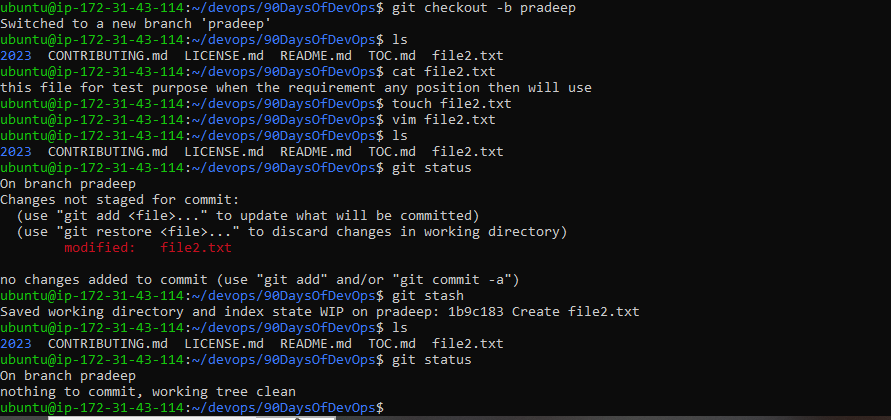
first, create a branch name then some changes then use the stash command.
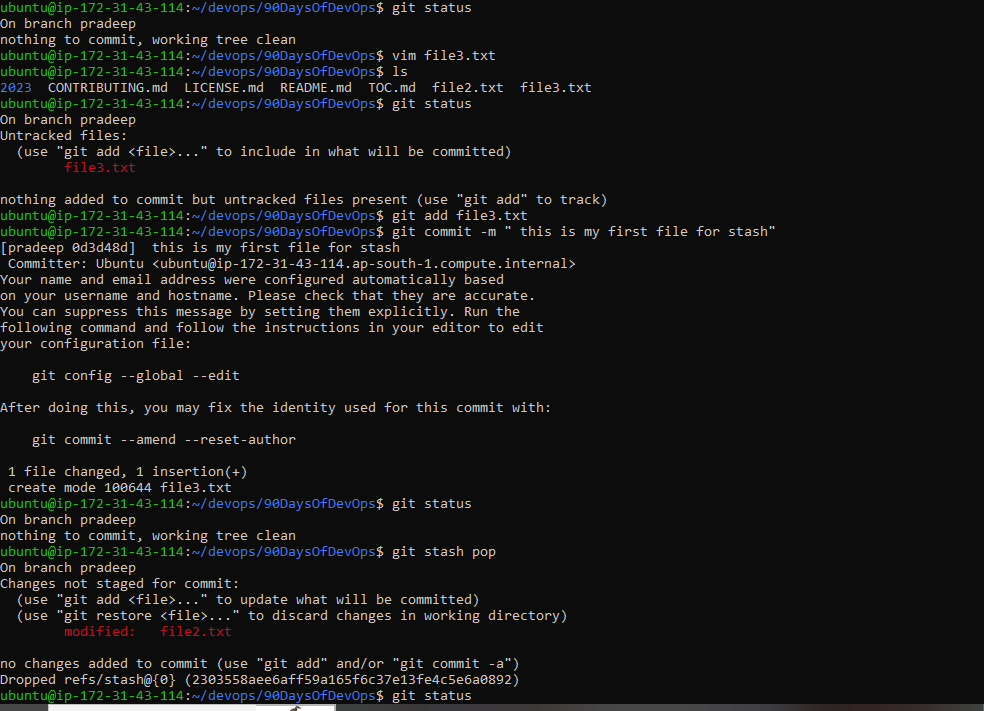
After doing some work on the current branch then add and commit
How to work stash in git please write some details below
currently I am working in Pradeep branch.
then doing some work on the branch after some time after saving without add and commit.(Using command: git stash}
After working different work on the current branch then add and commit.
Then use the command git stash pop to back up.
🗼Cherry-pick:
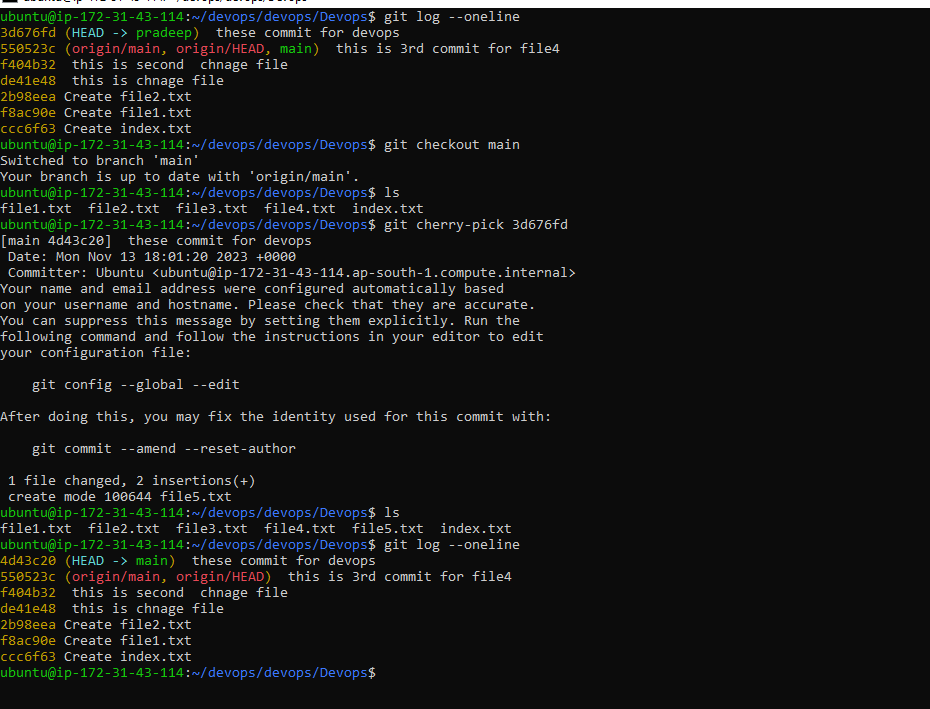
Git cherry-pick is a command that allows you to select specific commits from one branch and apply them to another. This can be useful when you want to selectively apply changes that were made in one branch to another.
To use git cherry-pick, you first create two new branches and make some commits to them. Then you use git cherry-pick <commit_hash> command to select the specific commits from one branch and apply them to the other.
How to work cherry-pick
currently, i am working in the Pradeep branch multiple files are created in the branch then added and commit but I want to single commit add on my master branch so please find the SNPs for cherry-pick.