Day 30 Task: Launching your First Kubernetes Cluster with Nginx.
Hey there! I am Pradeep Chitroliya I am a Devops engineer, started writing articles on my DevOps and cloud journey. My purpose is to share the concepts that I learn, the projects that I build, and the tasks that I perform regarding DevOps. Hope you all find it useful.
- What is minikube?
Ans:- Minikube is a tool which quickly sets up a local Kubernetes cluster on macOS, Linux, and Windows. It can deploy as a VM, a container, or on bare-metal.
Minikube is a pared-down version of Kubernetes that gives you all the benefits of Kubernetes with a lot less effort.
This makes it an interesting option for users who are new to containers, and also for projects in the world of edge computing and the Internet of Things.
2. Features of minikube
(1) Supports the latest Kubernetes release (+6 previous minor versions)
(2) Cross-platform (Linux, macOS, Windows)
(3) Deploy as a VM, a container, or on bare-metal
(4) Multiple container runtimes (CRI-O, containerd, docker)
(5) Direct API endpoint for blazing fast image load and build
(6) Advanced features such as LoadBalancer, filesystem mounts, FeatureGates, and network policy
(7) Addons for easily installed Kubernetes applications
(8) Supports common CI environments
Task-01:
How Install minikube on your local:
This guide provides step-by-step instructions for installing Minikube on Ubuntu. Minikube allows you to run a single-node Kubernetes cluster locally for development and testing purposes.
Step1. Pre-requisites
Ubuntu OS
sudo privileges
Internet access
Virtualization support enabled (Check with
egrep -c '(vmx|svm)' /proc/cpuinfo, 0=disabled 1=enabled)
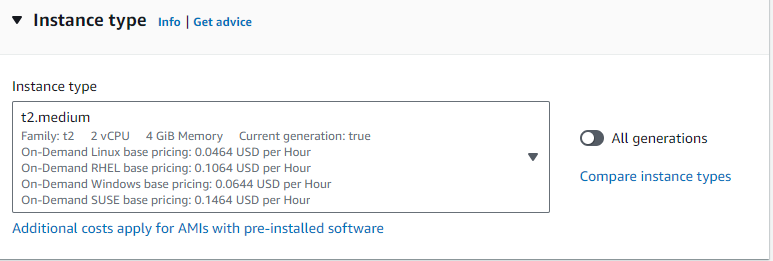
Step2. go to your aws account then create a EC2 inatance thier should have 2CPU and 4GB RAM.(select the instance type t2.medium).
Step3. Update System Packages:
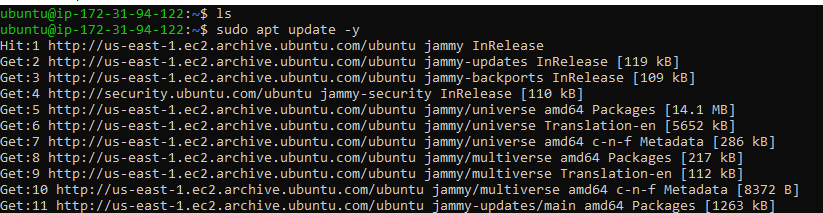
Update your package lists to make sure you are getting the latest version and dependencies.
#sudo apt update -y
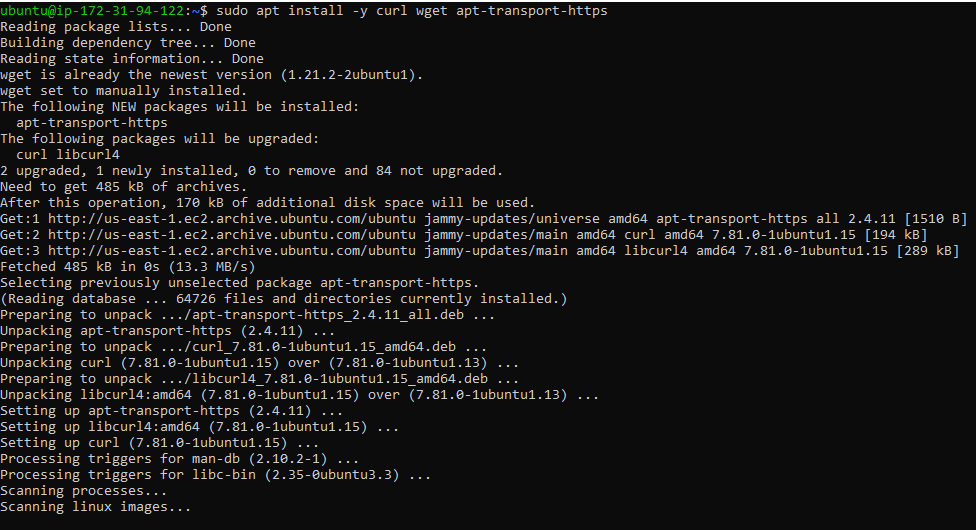
Step4: Install Required Packages: #sudo apt install -y curl wget apt-transport-https
Step5: Install Docker
Minikube can run a Kubernetes cluster either in a VM or locally via Docker. This guide demonstrates the Docker method.
#sudo apt install -y docker.io

Step6: Start and enable Docker.
sudo systemctl enable --now docker

Step7: Add current user to docker group (To use docker without root)
sudo usermod -aG docker $USER && newgrp docker

Step8: Install Minikube
First, download the Minikube binary using curl:
curl -Lo minikube https://storage.googleapis.com/minikube/releases/latest/minikube-linux-amd64

Make it executable and move it into your path:
chmod +x minikube
sudo mv minikube /usr/local/bin/

Step 9 Install kubectl
Download kubectl, which is a Kubernetes command-line tool.
curl -LO "https://dl.k8s.io/release/$(curl -L -s https://dl.k8s.io/release/stable.txt)/bin/linux/amd64/kubectl"
Check above image ⬆️ Make it executable and move it into your path:
chmod +x kubectl
sudo mv kubectl /usr/local/bin/

Step 10: Start Minikube
Now, you can start Minikube with the following command:
minikube start --driver=docker
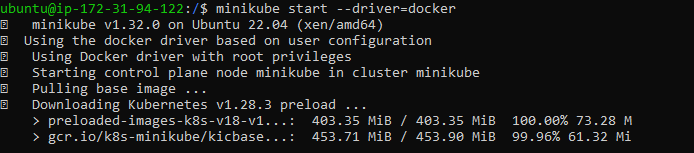
This command will start a single-node Kubernetes cluster inside a Docker container.
Step 11: Check Cluster Status
Check the cluster status with:
minikube status
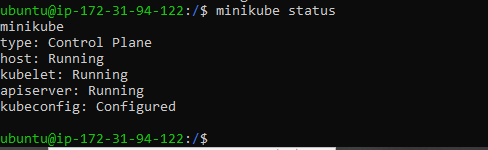
Task-02:
Create your first pod on Kubernetes through minikube.
we want to create a pod using the command so please find the below command through which we will be create a pod:
# kubectl run pod name --image=image name --ports deatils
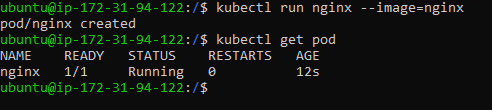
Today i have cover what is minikube and how to install in aws EC2 inatanec and how to create a pod using the minikube. so i have request to you if you read my blog and if you liked it that please like and command my blog then also follow my linkden Profile.
Thanks for read my blog if you liked it this blog please like and commend.
Contact me on linkedin
check out my GitHub for more resource GitHub
##


